Numbers everywhere. Answers nowhere.
Invoices in one folder, expenses in a spreadsheet, deadlines in your head. To see the whole, you first have to put it all together.
One overview of every businessIncome, expenses, invoices and Serbian tax obligations.
For each business on its own, and all together.
No credit card required · Cancel anytime

The bigger picture
Several is a financial overview app for freelancers and entrepreneurs in Serbia. It brings the records of income, expenses, invoices and obligations into one workspace. You track each business on its own, and the combined overview shows how much money was received and spent. For supported forms of business, projections also help you see what could be left after tax.
Meet your new overviewFrom everyday work
Invoices in one folder, expenses in a spreadsheet, deadlines in your head. To see the whole, you first have to put it all together.
One overview of every businessAn invoice can look like income. Until the money arrives, the plan and the reality should stay clearly apart.
Received and expected, kept apartA new client, another project or a different form of business. You need the context before you decide.
Projections with clear assumptionsMeet Several
Less digging through spreadsheets.
More understanding of your own business.
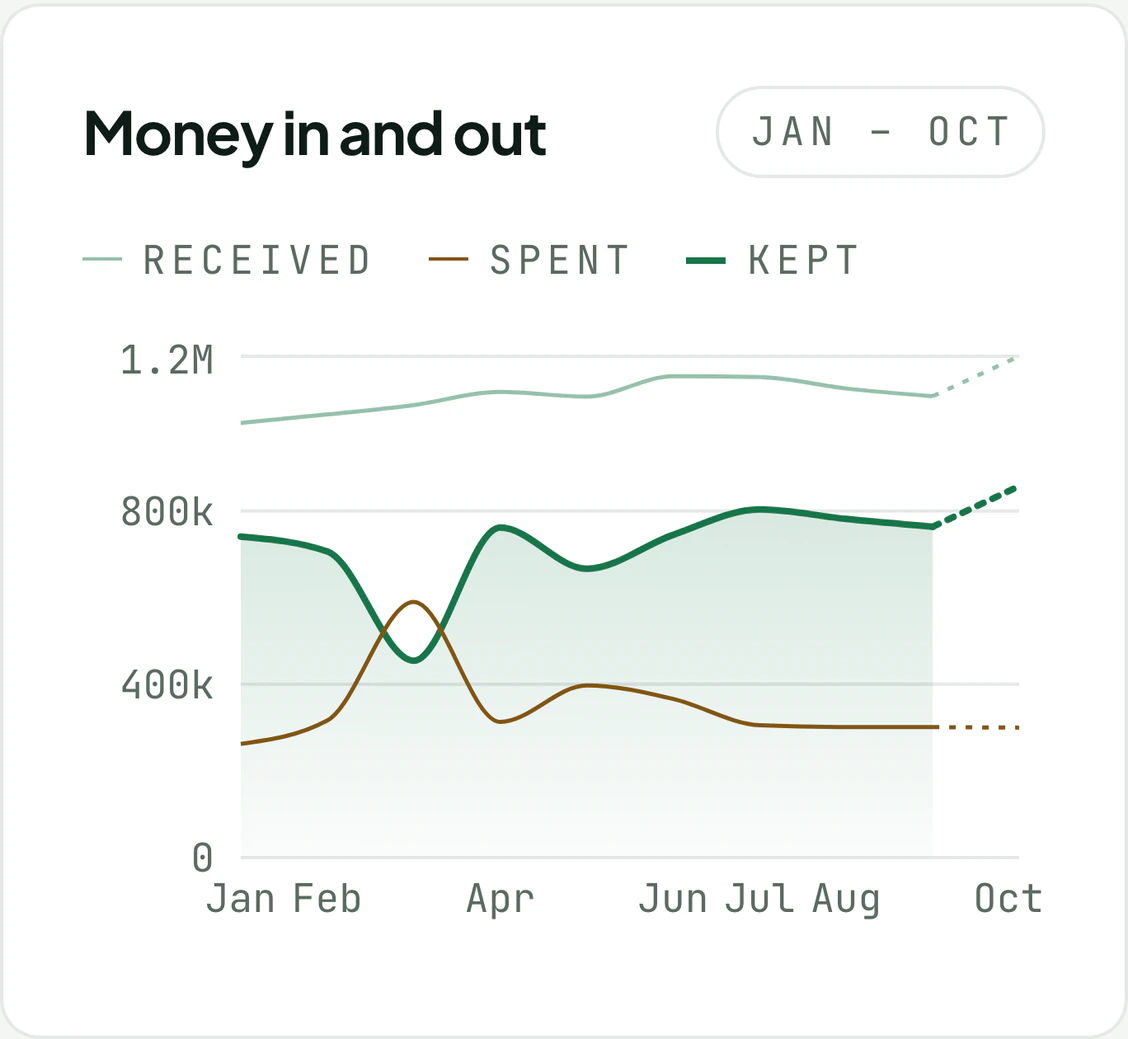
The income and expenses of each business have their place. The combined overview connects them, so you can always go from a total back to the business behind it.

An example view. Tax treatment depends on the form of business.
Create an invoice, save it as a PDF and record the payment when the money arrives. The status shows clearly what is a draft, what was sent and what is paid.
Several doesn’t send invoices to SEF and doesn’t pull bank transactions automatically.

The document and its payment status, clearly apart.
Review the obligations on record, your tax assessment and its payments. The paušal ceiling and the VAT threshold have views of their own, because they measure different things.
Keeping records and an overview is not filing a tax return.
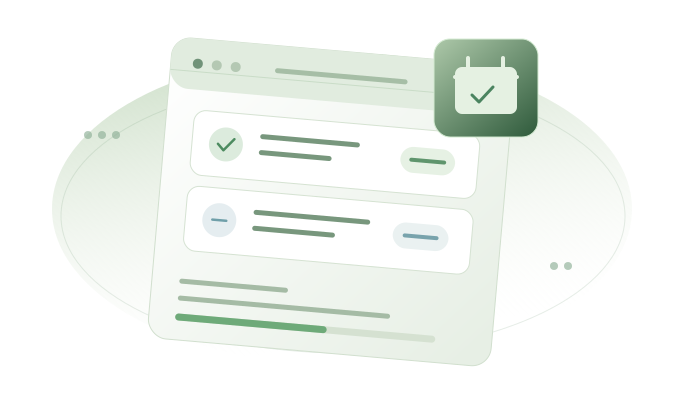
Illustrates the structure. The bars are not a statutory calculation.
Compare supported forms of business on the same assumptions. Look at the projection and its explanation before you talk to your accountant.
The comparison is for information. Availability and conditions depend on your situation.

Calculation paths, without tax results or a ranking of regimes.
Who it’s for
Start with what you do now.
Keep the overview when things change.
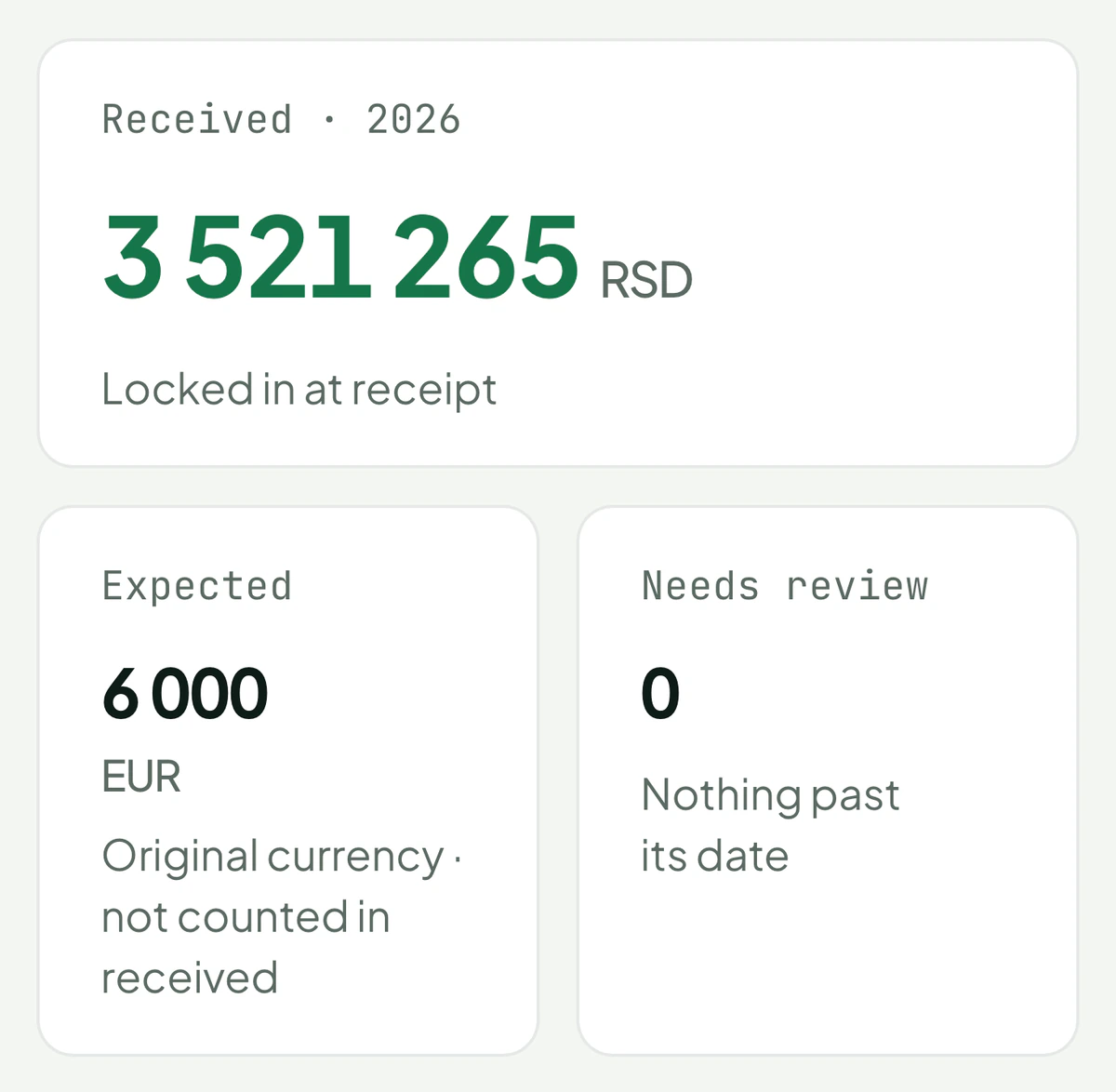
Different clients, different currencies. Record income and expenses, and keep what you expect apart from what has arrived.
See the overview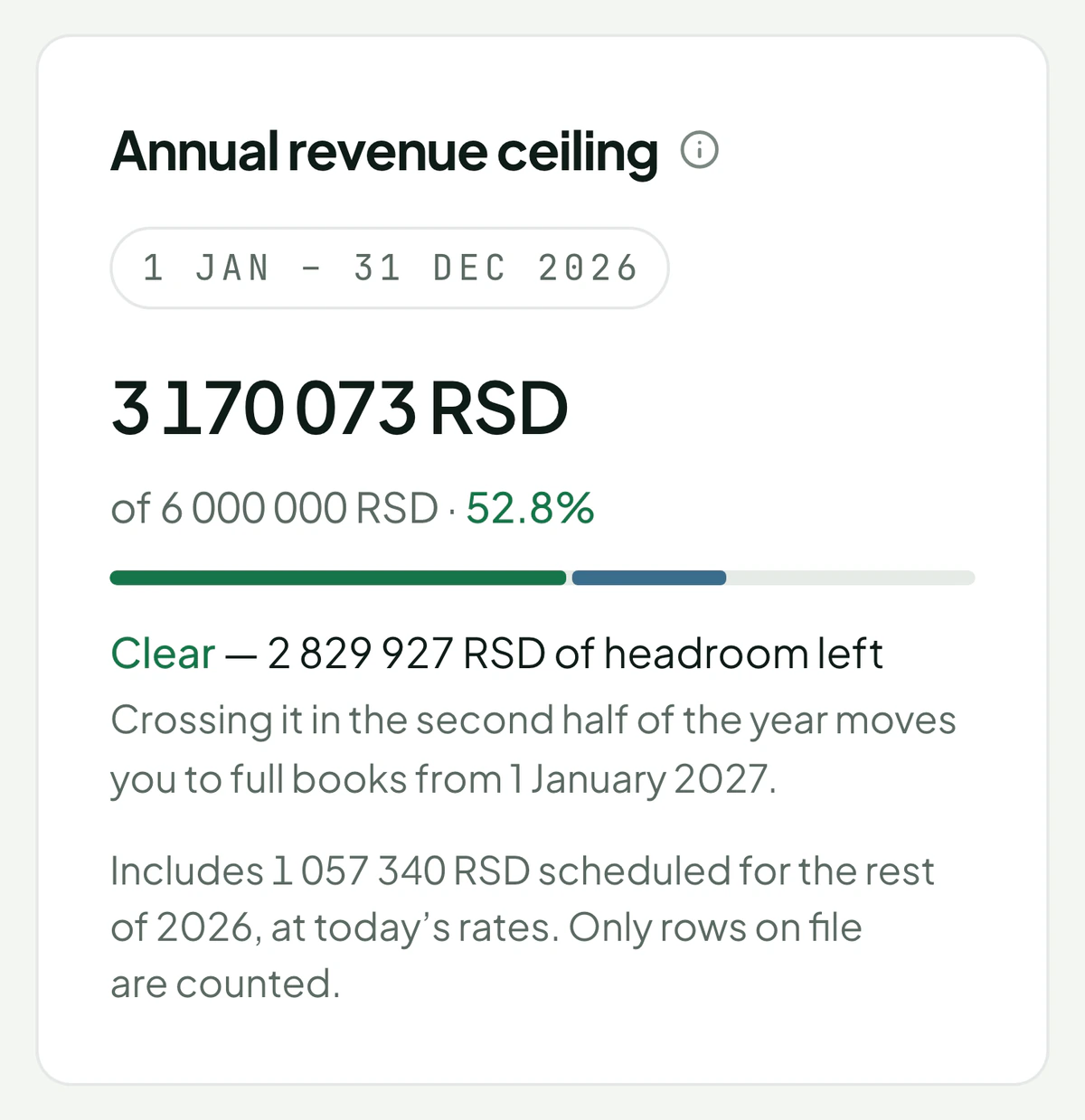
Invoices, expenses and obligations in the same place. For paušal businesses, the assessment, its payments and the ceiling are there too.
Explore obligations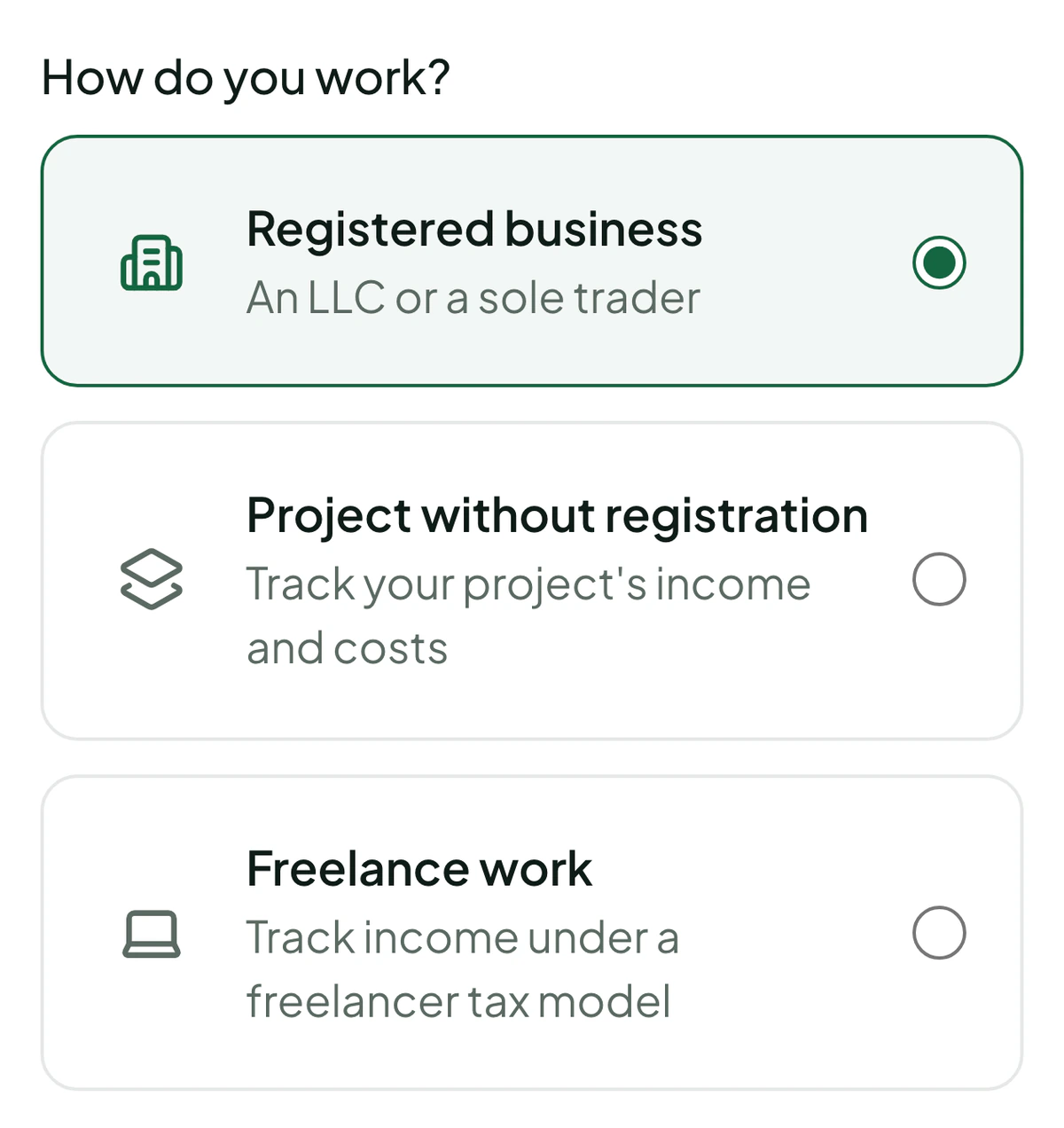
A day job, your own studio and a project on the side. Each keeps its own records, and you keep the combined overview.
See how they connectLocal context
Features depend on the form of business. Tax projections are for information and rest on their own assumptions.

Original amounts stay visible, and the combined overview uses their value in dinars. A missing exchange rate is marked.
The workspace owner can download an export of the data, including CSV tables and attached documents.
The interface is in Serbian and English. You choose an invoice’s language for the document you send the client.
What changes
How working from separate records
differs from working in Several.
| When you want to know… | With separate records | Several |
|---|---|---|
| How all your businesses stand together | You merge spreadsheets and check the total | You see each business and the total, without merging |
| What has actually been paid | You match invoices against notes of payments | You see what’s paid, invoice by invoice |
| What a number means | You look for the formula or the assumption | You see the basis and an explanation beside the number |
| What changes in another scenario | You copy calculations and adjust them | You compare supported forms of business on the same assumptions |
| How to take your records with you | You gather files from several sources | You download the whole workspace in one export |
A comparison of ways of working, not a claim that other apps lack these features. Payments are recorded; the overview is not an automatic link to your bank.
Good to know
Several is a financial overview app for freelancers, entrepreneurs and people who run several businesses in Serbia. It connects income, expenses, invoices and obligations. Each business keeps its own records, and the combined overview brings together the money received and spent.
Yes. One workspace can hold several businesses, including one with a registered company, a project with no legal entity and employment. Features and tax views depend on the form you choose.
No. In the overview of what has happened, Kept is what was received minus what was recorded as spent. It is not your bank balance, nor your final income after every tax. Projections and obligations have views and explanations of their own.
Several helps you keep records and understand your business. It doesn’t replace an accountant, tax advice or filing returns. Tax projections are for information and depend on the data you enter and the rules supported.
Not yet. Several supports creating invoices, a PDF view and recording payments. If your work requires SEF, use the right procedure outside Several.
Several doesn’t pull bank transactions automatically. You record the money received and your expenses. Account details on an invoice are not the same as access to bank transactions.
Yes. The workspace owner can download an archive with the data, CSV tables and attached files from the account settings.
Innoverse d.o.o. holds it. Beyond us, only the five suppliers that run Several see it, each named with its location in the privacy notice. We don’t sell it, share it for advertising or use it to train models. You can export your workspace whenever you like, and we delete it within 30 days when you ask. The notice has every detail, including what isn’t finished yet.
Access is by invitation. Request a demo: leave your email and choose how you work. We reply by email within two working days, show you Several on a short call, and send invitations one at a time.
Closed beta
Leave your email and choose how you work. We show you Several on a short call, and an invitation to the closed beta follows.
Request a demoWe reply by email within two working days and tell you plainly if Several doesn’t fit what you do yet.